We have been working on a What-You-See-Is-What-You-Get (WYSIWYG) editor. This editor is loaded on the publication page through a sort of pop-pup menu and allows you to change its content in a more visual way - committing changes to GitHub directly to a specific branch, or through a pull request.
Including the editor in your project helps people who are not familiar with markdown to contribute to the content of the publication.
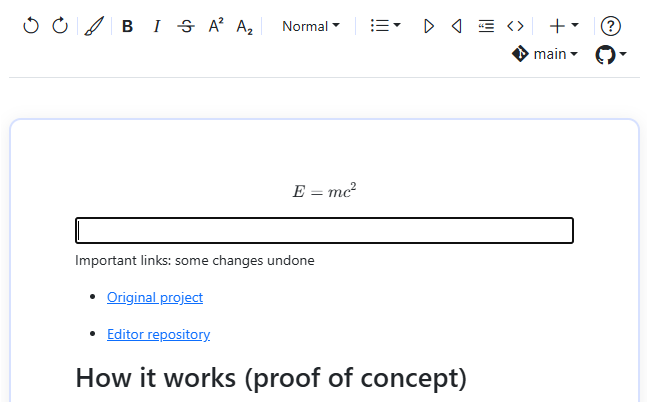
Figure 1:A screenshot of the WYSIWYG editor interface.
How it works
The WYSIWYG editor is currently enabled by a script for github actions. The script looks for every html file in the repo and adds a small javascript in the header of the file before the project is actually deployed.
The deployed project has obtained a slider at the top right corner of each page, which allows you to open the editor. If you make changes to the content of that page, you can commit the changes to GitHub. You will need to have a fine-grained access token to be able to commit changes to the repository.
How to enable the editor in your project
Two actions are needed to enable the WYSIWYG editor in your project. First, you need to modify your GitHub workflow file to include the script that adds the WYSIWYG editor to your project. Right after
  - name: Build HTML Assets
    run: myst build --html
you include the following action:
    - name: Add wizard to book
      uses: luukfroling/Wizard-jb2/actions@main
      with:
        script_url: "https://raw.githack.com/luukfroling/Wizard-jb2/main/script/start_wizard.js"
html_dir: "_build/html"The second action requires somewhat more work as you need to give access to the repository to the users who want to use the WYSIWYG editor. You can do this by creating a fine-grained access token.
some instructions for gitlab
Known limitations
JupyterBook is actively being developed. Not all functionalities are included in the editor. Moreover, there are known issues with embedding iframes. Still, the editor is great for writing text and directly see it in the browser.