Here we briefly described the various ways of publishing your Jupyter Book project.
Publishing here is meant as the dissemination of the content you have created in your Jupyter Book project to the public in a visualized way - e.g. not being only the source code. We will discuss only two formats: static html and pdf. Note that there are more ways to publish your content, e.g. through curvenote allowing for a dynamic build of the site.
Interactive website
You can publish your work as a fully functional interactive website where you have the option to include multimedia, interactive python code and so on. You can use GitHub pages, GitLab pages (if enabled) or make use of your own server.
As with Tools for editing, the advantage of GitHub is the swiftness of setting up a full functional website but the downside is that the content is not managed by the university. This is the case for GitLab pages, though not all universities have GitLab pages enabled. Your supervisor might have a virtual machine running (linux webserver) where you can host your website. In the next pages we describe how to set up the website.
Static pdf
Disseminating can also be done using a static pdf. Our workflow - using the starter kit - automatically builds a high-quality pdf using Typst. A second pdf can be made using our LaTeX template. The making of this pdf is triggered manually.
All details about the templates, the settings, perfecting the final version is described in the templates section.
Workflow
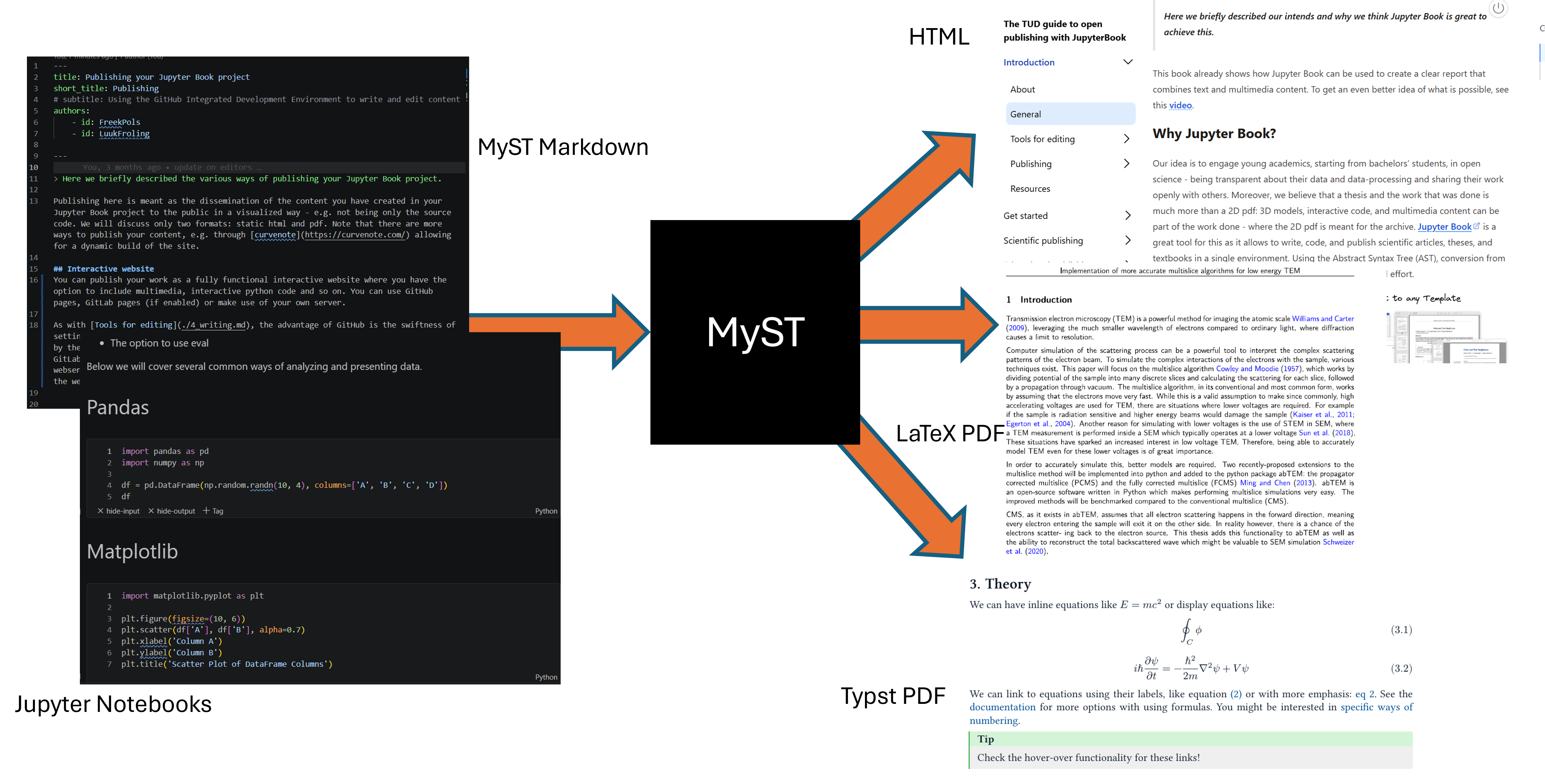
Figure 1:Starting with markdown and jupyter notebook files, your work is converted to ‘any’ other output file (even .docx) through the MyST engine.